Best Lawn Care App for Homeowners: 6 Apps Compared
Looking for the best lawn care app? We compare 6 iPhone apps for DIY plans, AI diagnosis and hiring a mowing pro, with what each does well and costs.
By Ramachandran A V · · Editorial policy
The best lawn care app for a homeowner depends on the job you want it to do. If you want a do-it-yourself plan built around your grass and weather, look at Grass X, Yard Mastery or Lawn Command. If you mainly use one brand of products, Scotts My Lawn and the Sunday app plan around those products. And if you would rather pay someone to mow, a booking app such as GreenPal is the better fit. Most search results for “best lawn care app” are lists of software for landscaping businesses; this guide is only about apps for people looking after their own yard.
Grass X is made by 1dot.ai, which publishes this blog. Details of the other apps come from their official App Store listings and websites, checked as of October 2026. Apps change often, so confirm features and prices on the store listing before you download.
The best lawn care apps compared
| App | Best for | Diagnoses problems from a photo | Plan adjusts to local weather | Price as listed (October 2026) |
|---|---|---|---|---|
| Grass X | AI diagnosis plus a climate-aware plan | Yes (grass type, disease, weeds, pests) | Yes | Free download, in-app purchases |
| Yard Mastery | A detailed DIY schedule and lawn journal | Not described on its listing | Yes (soil temperature tracking) | Free; optional product purchases |
| Lawn Command | Day-by-day tasks and spray timing | Yes (weeds, disease, pests) | Yes (recalculates daily) | Free, Pro in-app purchases |
| Scotts My Lawn | A plan built around Scotts products | Not described on its listing | Yes (weather-based alerts) | Free |
| Sunday Yard & Lawn Care | Sunday subscribers | Not described on its listing | Yes (forecast-timed reminders for subscribers) | Free; product subscription |
| GreenPal | Hiring someone to mow | No (it is a booking app) | No | Free; prices quoted by providers |
Every app in the table is available for iPhone. We cover what that means for Android users further down.
What makes a lawn care app worth using
Before comparing names, it helps to know what separates a useful app from a reminder list with a lawn picture on it.
- It knows your grass type. Mowing height, fertilizer timing and the diseases worth watching for all depend on the species, and on whether it is a cool-season or warm-season grass. Our guide to cool-season vs warm-season grass explains why this one detail shapes the whole calendar. If you don’t know your grass, an app that identifies it from a photo saves a step (we compare the best grass identifier apps separately); our grass identifier guide shows how to check it yourself too.
- It follows the weather, not just the calendar. A fixed “fertilize in week 14” plan misses late springs, dry spells and early frosts. Apps that use local temperature, soil temperature or rainfall can shift tasks to when they make sense; our comparison of lawn care schedule apps shows how each one sets its dates.
- It tracks water honestly. Most established lawns need about an inch of water a week, rain included. Apps that count observed rainfall stop you from watering after a storm. See how much to water your lawn for the details.
- It respects soil tests. No app can see your soil nutrients. University of Minnesota Extension recommends testing every three to five years, and its lawn fertilizing guide advises applying phosphorus only if a soil test shows a need. A good app lets you enter or read your results instead of guessing.
- It is clear about what it sells. Some apps are free because they recommend their maker’s products. That can be convenient, but it is worth knowing before you follow the plan.
Best lawn care apps for DIY homeowners
Grass X: AI diagnosis and a climate-aware plan
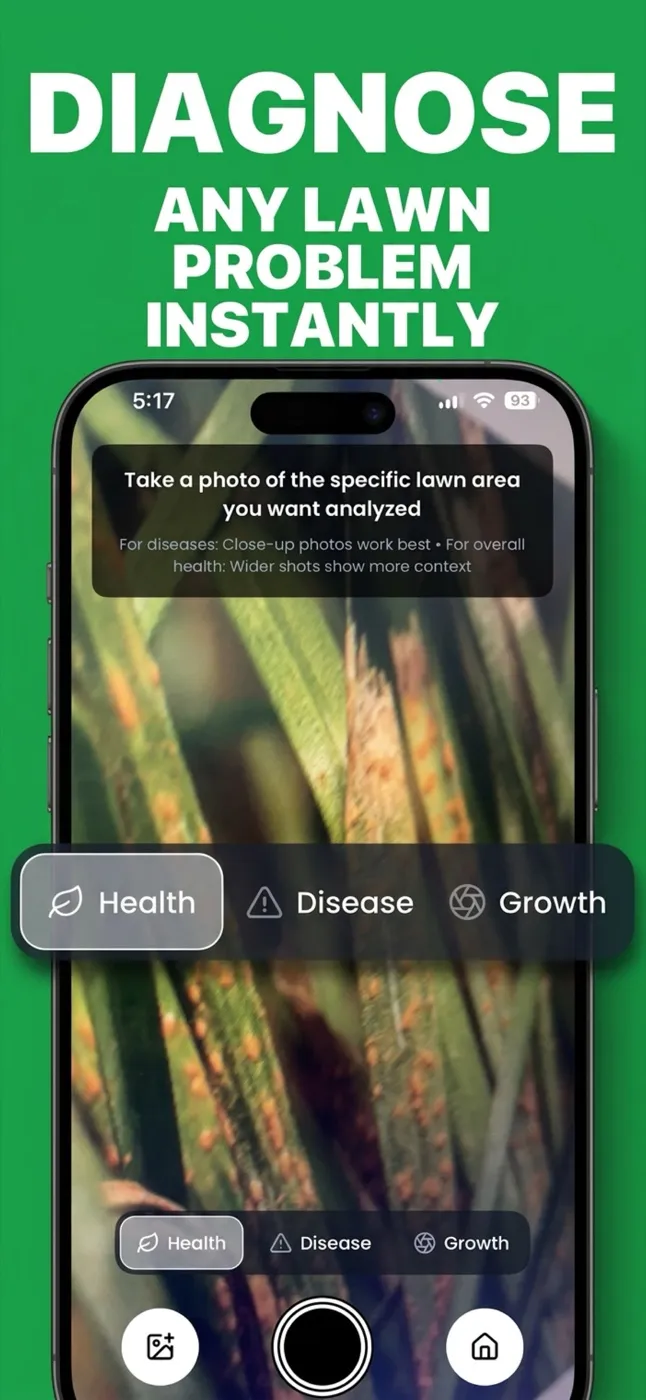
Grass X is our app (listed on the App Store as “Lawn care AI App: Grass X ID”). You take a photo, and it identifies your grass species and flags visible disease, weed and pest damage, then builds a care schedule around your grass type, frost zone and local conditions. Tasks pause automatically while the grass is dormant or under snow, which matters at this time of year for warm-season lawns in the South and cool-season lawns heading into winter.
Other features on its listing include water tracking based on your lawn size and observed rainfall, a fertilizer recommender, a soil test reader for pH strips, N-P-K kit charts and lab reports, a lawn journal, and an AI chat assistant that knows your grass type, location and lawn history.
Price as listed (October 2026): free to start, with a limited number of AI scans and chat questions each month. Premium is listed at $4.99 a week, $14.99 a month or $49.99 a year.
Best for: iPhone and iPad users who want to diagnose a problem and get an ongoing plan in one app. It is not available on Android.
Yard Mastery: a detailed DIY schedule
Yard Mastery’s listing describes a step-by-step lawn care plan based on grass type, location and soil conditions, with real-time soil temperature tracking for timing. It offers warm-season, cool-season and transition-zone schedules, a lawn journal for treatments and photos, separate lawn areas, and calculators for fertilizer rates, square footage, product coverage and soil test tracking.
Price as listed (October 2026): free to download, with core features included; the listing mentions optional product purchases.
Best for: hands-on homeowners who like detailed schedules, calculators and a log of every treatment. Its listing does not describe photo-based diagnosis, so pair it with another tool if you need to name a disease or weed.
Lawn Command: daily tasks and spray timing
Lawn Command, from Broadleaf Labs, generates tasks from local conditions and says it recalculates every day. Its Spray Window Finder gives a “Good now,” “Wait” or “Hold off” verdict based on wind, rain and temperature, and its AI Turf Diagnostics identifies weeds, disease and pests from a photo. Pro features include Rachio sprinkler integration, product inventory tracking and mapping of up to 16 lawn zones.
Price as listed (October 2026): free, with Lawn Command Pro in-app purchases listed at $4.99 and $39.99, and a 7-day Pro trial.
Best for: people who apply their own sprays and want help picking the right day, and Rachio owners who want watering logged automatically. It is listed only for iPhone.
Lawn care apps from product brands
Scotts My Lawn
Scotts’ app (listed as “My Lawn: A Guide to Lawn Care”) creates a plan with product recommendations based on your grass type, location, lawn size and conditions, and notifies you when it is time to apply based on product specifications and the weather. It also tracks weekly water from local rainfall and manual entries, alerts you when grass goes dormant, and includes a lawn size calculator, tips and videos, and a task calendar. During the growing season you can order the Scotts products in your plan for home delivery.
The Scotts My Lawn app page says a new version of the app is coming in early 2027.
Price as listed (October 2026): free.
Best for: homeowners who already use Scotts products and want reminders timed to them. If you prefer to choose products from several brands, a brand-neutral plan may suit you better; our guide to Scotts My Lawn app alternatives compares the options.
Sunday Yard & Lawn Care
Sunday sells lawn nutrient subscriptions, and its app is built around that service. The listing describes a custom plan matched to your grass type and local conditions, reminders timed to the forecast, and an AI assistant called Sunny that answers questions about issues like brown patches and bare spots. As of October 2026 the listing says Sunny is free to use with no subscription, while reminders are for subscribers.
Price as listed (October 2026): free; Sunday product subscriptions are sold in the app.
Best for: Sunday subscribers, or anyone considering the service who wants to try the free AI assistant first. If you’d rather choose your own products, see our guide to Sunday lawn care alternatives.
Best app if you want to hire someone instead
If you would rather not mow at all, a planning app won’t help much. GreenPal’s App Store listing describes free mowing quotes from local providers, which you can compare along with reviews before booking in the app. The listing says payments go directly to the lawn company you hire, and prices come from the quotes local providers send. GreenPal lists itself as available across the US, but provider coverage varies, so check your address first.
Many homeowners combine the two: a pro mows, and they handle fertilizing, weeds and watering with a planning app.
Best lawn care app for iPhone (and what about Android?)
Every app in this guide has an iPhone version, so iPhone owners can choose purely on features. Use the table at the top, or this shortcut:
- Not sure what is wrong with the lawn? Pick an app that diagnoses from a photo (Grass X or Lawn Command). Our roundup of lawn disease identification apps compares diagnosis apps in more depth.
- Want the most detailed DIY schedule? Yard Mastery or Grass X.
- Apply your own sprays? Lawn Command’s spray window is built for that.
- Loyal to one product brand? Scotts My Lawn or Sunday.
Android is harder. Grass X, Yard Mastery and Lawn Command are listed only for Apple devices. Scotts’ website links a Google Play version of My Lawn, but we could only verify the App Store listing in October 2026. If you are on Android, check Google Play directly, and confirm the developer before installing.
How to get the most out of any lawn care app
- Set up the basics accurately. Lawn size, grass type and location drive almost every recommendation. A wrong grass type sends the whole plan off course.
- Get a soil test. Enter the results if your app supports it. It is the only way to know whether you need phosphorus, potassium or lime.
- Log what you actually do. Fertilizer, seed and treatments you record help the app (and you) avoid doubling up.
- Check diagnoses before you treat. A brown patch can be drought, grubs, dog urine or fungus. Our guide to brown patches in your lawn shows how to tell them apart.
- Follow the label. Any app can suggest a product, but the product label and your local regulations decide how much to apply and when.
Frequently asked questions
What is the best lawn care app for homeowners?
It depends on your goal. For a photo diagnosis plus a plan that adjusts to your weather, Grass X (our app) or Lawn Command. For a detailed DIY schedule and journal, Yard Mastery. If you use Scotts or Sunday products, their own apps plan around them. To hire a mowing service, GreenPal.
Is there a free lawn care app?
Yes. Every app in this guide is free to download as of October 2026. Yard Mastery says its core features are free, Scotts My Lawn is free, and GreenPal is free to use for quotes. Grass X and Lawn Command offer free tiers with paid upgrades, and Sunday’s app is free with product subscriptions sold separately. Our guide to free lawn care apps for iPhone breaks down what each free version includes.
Can a lawn care app tell me what type of grass I have?
Some can. Grass X identifies the grass species from a photo and tells you whether it is a cool-season or warm-season type. Other apps ask you to choose your grass type during setup, so it helps to know it first.
Do lawn care apps work in winter?
Yes, though there is less to do. Several apps, including Grass X and Scotts My Lawn, recognize when grass goes dormant, so you aren’t reminded to water or feed a lawn that isn’t growing. Winter is a good time to set up your app and plan for spring.
Do I still need a soil test if I use an app?
Yes. Apps can schedule fertilizer, but they can’t measure your soil’s nutrients or pH. University extension services recommend testing every few years, and some apps, including Grass X, can read and explain your test results.